

Successful transitions require assessing network readiness, selecting a Canadian provider, and running dual systems to prevent downtime during the porting process. This switch business phone system to VoIP Canada migration guide emphasizes that porting takes five to ten business days; businesses must provide an accurate account number and current bill to avoid delays.
Maintaining a legacy PBX system in the modern Canadian business landscape often feels like managing an anchor rather than an asset. Many organizations struggle with rising maintenance costs and rigid hardware limitations that hinder growth across provincial lines. Transitioning to a cloud based VoIP solution represents a critical shift toward operational scalability; however, the technical nuances of the migration process require a meticulous approach to avoid service interruptions. At Alpha Telecom Services, we prioritize seamless transitions that preserve business continuity. This guide provides a practical, step by step roadmap for Canadian enterprises looking to modernize their communication infrastructure. You will learn how to audit your current environment, navigate the complexities of local number porting, and execute a parallel run strategy to ensure zero downtime during your technical cutover.
The Canadian Business Case for VoIP Migration
The Canadian telecommunications landscape is undergoing its most significant shift in decades as major carriers accelerate the phase-out of traditional copper landlines. For companies across the country, this is no longer a matter of if, but when. VoIP migration is the strategic process of shifting your voice communication infrastructure from the legacy Public Switched Telephone Network (PSTN) to a flexible, internet-based protocol.
As a Toronto-based expert, Alpha Telecom Services understands the specific regulatory and logistical hurdles Canadian organizations face. While the dated 'rip and replace' method often resulted in missed calls and operational gaps, modern strategies allow for a seamless transition. This switch business phone system to VoIP Canada migration guide follows the CRTC’s Local Number Portability framework to ensure your business numbers remain yours. By moving away from rigid analog circuits, you can leverage a 3CX PBX phone system and professional VoIP hardware to improve efficiency across all Canadian branch locations while maintaining total communication continuity.
Step 1: Audit Your Existing Canadian Phone Infrastructure
Before making any technical changes, you must conduct a comprehensive audit of your current environment. This initial phase is the foundation of the switch business phone system to VoIP Canada migration guide because it identifies the critical dependencies that often cause project delays. Start by listing every Direct Inward Dialing (DID) number associated with your organization. This list must go beyond standard desk extensions; you must account for specialized lines such as traditional fax machines, elevator emergency phones, and monitored security systems. These hidden lines are frequently overlooked, and missing just one can lead to critical service interruptions or safety code violations once the legacy circuits are deactivated.
Review your existing service agreements with major Canadian carriers such as Bell, Rogers, or Telus. You need to identify any existing contract end dates to calculate potential early termination fees. More importantly, verify if your account has a "port freeze" or "transfer block" in place. These security features are designed to prevent unauthorized number transfers, but they will also halt your legitimate migration if they are not removed by the carrier before the porting process begins.
Finally, assess the local network infrastructure at your Toronto headquarters and any remote Canadian branch locations. VoIP relies on consistent, low-latency internet connectivity to maintain call quality. We recommend a dedicated bandwidth assessment to ensure your current circuit can handle concurrent voice traffic alongside your standard data usage. If your branch locations utilize older DSL or low-speed cable connections, upgrading your internet package is often a necessary prerequisite to ensure high-definition voice quality across the board.
Step 2: Gather the Required Documentation for Number Porting
Once you have identified every DID and cleared any contract holds, you must compile the administrative paperwork required by the gaining carrier. This documentation is the primary point of failure in the switch business phone system to VoIP Canada migration guide process. Accuracy at this stage prevents the carrier approval timeline, which typically spans 5 to 10 business days, from restarting due to avoidable clerical errors.
You must provide a copy of your most recent service invoice, specifically one dated within the last 30 days. This bill acts as proof of ownership and contains the necessary Customer Service Record data. The service address on your application must be the physical location where the circuits terminate, which frequently differs from your central billing or mailing address. Precision is non-negotiable; Canadian carriers will reject a port request if the business legal name on your Letter of Authorization (LOA) does not match the invoice exactly, including punctuation or suffixes like Ltd. or Inc.
For standard local numbers, a signed LOA is the standard requirement. However, if you are migrating toll-free lines, you must also complete a Responsible Organization (RespOrg) change form to transfer control of the number. At Alpha Telecom Services, we provide dedicated support services to review these documents before submission. Our team verifies that every field aligns with carrier records to ensure your 3CX PBX phone system migration remains on schedule and avoids the frustration of administrative rejections.
Step 3: The Parallel Run Strategy for Zero Downtime
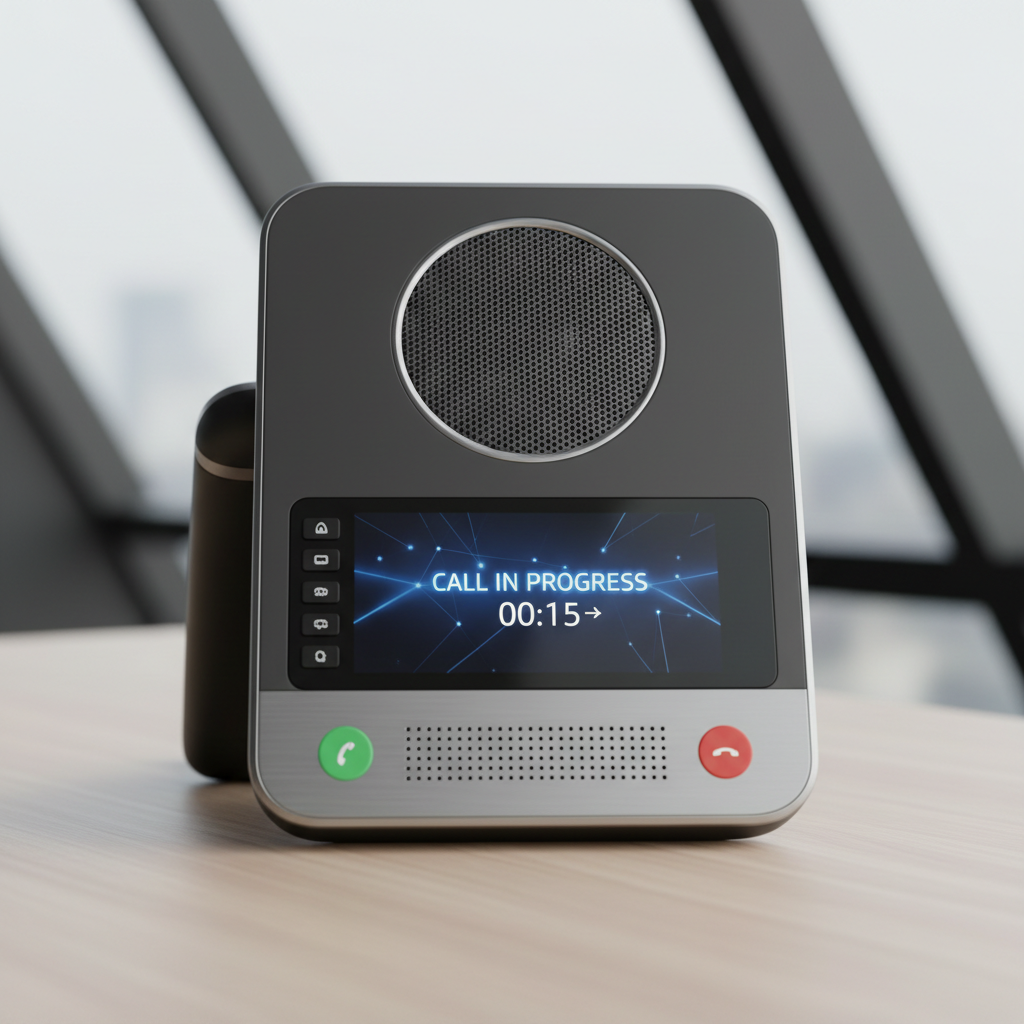
The most significant concern during a transition is the risk of dropped calls or total communication silence. To eliminate this risk, we implement a parallel run strategy. This is a core component of our switch business phone system to VoIP Canada migration guide, ensuring that your new infrastructure is fully operational before the old one is disconnected. During this phase, your team installs new VoIP hardware, such as Yealink desk phones, and configures the 3CX PBX phone system software while your legacy landlines remain active.
This method creates a low stakes environment for technical validation. You can begin making outbound calls from the new VoIP system immediately, which allows you to verify audio quality and network stability. Meanwhile, all inbound calls from clients continue to ring on your existing legacy handsets. This separation ensures that client communication is never compromised while your staff receives hands-on training on the new digital interface. For organizations in the GTA, professional installation and programming ensures that firewall rules and VLANs are optimized during this window. Identifying and resolving configuration issues during a parallel run prevents the chaos often associated with unmanaged migrations.
Step 4: Managing the Technical Cutover and Porting Timeline
Managing the transition from approval to activation requires a strict adherence to carrier timelines. Under the CRTC Local Number Portability framework, the standard window for carrier approval in Canada is typically 5 to 10 business days. Once the losing carrier approves the request, they provide a Firm Order Commitment date, with the final activation usually occurring within a 48 hour window of that date.
Strategic scheduling is vital for maintaining business continuity. We recommend targeting a Tuesday or Wednesday for your final cutover during off-peak hours. Avoiding Mondays prevents your transition from getting lost in high-volume start-of-week traffic, while avoiding Fridays ensures you are not left without carrier support during the weekend should a routing synchronization issue occur. This mid-week timing allows our dedicated support services to monitor the cutover in real-time alongside your staff.
The most critical warning in this switch business phone system to VoIP Canada migration guide is to never cancel your legacy service prematurely. Your current account must remain active until your new provider confirms the port is 100 percent complete. If you cancel your service before the numbers have successfully moved to the new 3CX PBX phone system, those numbers are immediately released back into the general carrier pool. Reclaiming a number once it has been pooled is often impossible, which could mean losing a decades-old business identity forever.
Step 5: Hardware Deployment and Local Installation

Successful implementation depends on the physical readiness of your network. In this phase of our switch business phone system to VoIP Canada migration guide, we focus on deploying the endpoint hardware that your team will use daily. You must decide on the right mix of softphones and physical desk phones. Softphones installed on mobile devices or laptops provide maximum flexibility for hybrid work models, while physical handsets provide the tactile reliability and high definition audio quality many corporate environments require.
At Alpha Telecom Services, we streamline this process through pre-configuration. Before any VoIP hardware arrives at your office, our team handles the programming, extension mapping, and firmware updates in our lab. This ensures that when the units, such as Yealink desk phones, are plugged in, they automatically register with your 3CX PBX phone system without requiring on-site manual setup.
For businesses located in the Greater Toronto Area, we recommend professional installation and programming to address the underlying physical network layer. A stable VoIP environment requires high quality Cat6 cabling and Power over Ethernet (PoE) switches to provide both data and power through a single line, eliminating the clutter of individual power adapters. Professional installers verify that your local area network is optimized for voice traffic, preventing common issues like jitter or one way audio that often stem from substandard wiring or incorrectly configured network switches.
Step 6: Post Migration Testing and Training
After the physical VoIP hardware is connected and the port is active, you must enter a rigorous validation phase. This stage of the switch business phone system to VoIP Canada migration guide focuses on ensuring every feature performs as expected under real world conditions. Use the following checklist to verify your environment:
Test Category | Action Required |
|---|---|
Call Routing | Test inbound and outbound calls for every extension, including ring groups and IVR menus. |
Identity | Verify that Call Display (CNAM) shows the correct legal business name on external receivers. |
Safety | Perform E911 verification to ensure the registered address is accurate for emergency responders. |
Productivity | Confirm voicemail to email, call recording, and CRM integrations are firing correctly. |
Technical functionality is only half the battle. Business efficiency depends on your staff’s ability to navigate the new digital interface. Provide hands on training for the 3CX PBX phone system software, covering essential tasks like warm transfers and status management. Our dedicated support services ensure that your team transitions from legacy habits to modern workflows without losing operational momentum. Proper onboarding ensures that your investment in professional communication tools translates into immediate results.
Common VoIP Porting Questions for Canadian Businesses
Navigating the final stages of a migration often involves specific logistical questions regarding carrier transitions. As established throughout this switch business phone system to VoIP Canada migration guide, understanding the regulatory landscape ensures your transition remains efficient.
Can I port a Canadian business landline to a mobile device? Yes. Under CRTC Local Number Portability rules, most landlines can be transferred to mobile carriers, provided the mobile provider operates within your specific local rate center. This flexibility is useful for businesses transitioning to a fully mobile or hybrid workforce.
Why are inbound calls failing immediately after my porting date? If outbound calls work but inbound calls fail, there is usually a routing synchronization issue. This occurs when the losing carrier has not yet updated its internal tables to redirect traffic to your new network. Our dedicated support services team monitors these transitions in real time to resolve such routing delays with the carriers involved.
What is the disadvantage of porting instead of getting new numbers? The primary disadvantage is administrative complexity. The process requires meticulous documentation, exact matching of service addresses, and strict adherence to carrier timelines. However, maintaining your established business identity is critical. Leveraging professional installation and programming ensures your 3CX PBX phone system and VoIP hardware are fully optimized before the carrier release occurs, neutralizing the risk of downtime.
Transitioning your Canadian business to a VoIP system is a significant step toward modern efficiency and cost savings. While this guide provides a solid foundation for your migration, the technical details can sometimes feel overwhelming. If you want expert help ensuring a smooth transition, our team at Alpha Telecom Services is ready to assist. You can explore our Cloud PBX solutions to find the perfect fit for your specific needs; this allows you to focus on your business while we handle the technical setup.