

VoIP call quality issues Canada business owners encounter are primarily caused by packet loss, jitter, and high latency resulting from network congestion or poor hardware. You can resolve these problems by implementing Quality of Service (QoS) protocols, testing network speeds, and upgrading your internet connection or VoIP equipment. Maintaining clear audio requires a stable network to ensure voice packets arrive consistently and without delay.
Nothing undermines a critical business negotiation quite like robotic audio or a dropped connection during a client call in Toronto or Vancouver. For many Canadian organizations, these technical disruptions are not just minor annoyances; they represent a significant threat to professional reputation and operational efficiency. When your VoIP system fails to deliver clarity, it often points to underlying network deficiencies that standard IT setups overlook. This article provides a comprehensive roadmap to diagnosing and resolving these issues. We will examine the impact of latency, jitter, and packet loss on your communication infrastructure. You will also learn how to audit your hardware, implement Quality of Service (QoS) configurations, and navigate complex firewall settings to ensure your voice traffic remains prioritized and stable. By the end of this guide, you will have the practical knowledge required to secure crystal clear communication for your entire team.
The Frustration of Poor VoIP Call Quality in a Canadian Business Environment
A small business owner in Toronto or Halifax who has just transitioned their team to a modern VoIP phones setup often expects immediate clarity. The promise of the technology is lower overhead and enhanced features, but the reality can manifest as frustrating interactions where clients sound like they are speaking through a tin can or from underwater. These VoIP call quality issues Canada business owners encounter can quickly erode professional credibility, making a high-growth company in the GTA appear technologically unprepared.
The root of the problem often lies in a misunderstanding of how Canadian networks function. While major ISPs such as Bell, Rogers, and Telus offer impressive download speeds reaching 1Gbps or higher, these headline numbers are frequently irrelevant to voice traffic. A standard VoIP call only requires approximately 100kbps of bandwidth; however, that stream must be perfectly consistent. High-speed internet does not always equate to high-quality internet. A massive data pipe can still suffer from the microscopic delays and interruptions that cause robotic audio or sudden call drops.
This guide moves beyond surface-level complaints to provide a technical roadmap for Canadian businesses. We will analyze specific symptoms of poor audio and offer actionable configuration fixes tailored to the unique landscape of Canada's telecommunications infrastructure.
Identifying the Symptoms: Robotic Audio, Choppy Sound, and Echo

Identifying the specific nature of a call disturbance is the first step toward resolution. In a competitive environment like the Toronto financial sector or the Vancouver tech scene, a garbled conversation can signal a lack of operational maturity to a high-value client. Understanding the language of network diagnostics allows staff to report issues more effectively to their technical support team, reducing the time spent in a cycle of trial and error.
Symptom | Technical Description | Likely Root Cause |
|---|---|---|
Robotic or Jittery Sound | Packets arriving out of sequence or at irregular intervals. | Network congestion or insufficient jitter buffer. |
Echo or Feedback | Hearing your own voice delayed back through the earpiece. | Acoustic leakage or impedance mismatch in low-quality hardware. |
One-Way Audio | You can hear the caller, but they cannot hear you (or vice versa). | Firewall settings or NAT traversal issues. |
Choppy/Cutting Out | Significant gaps in the audio stream. | High packet loss or bandwidth saturation. |
These VoIP call quality issues Canada business leaders face are often categorized into three primary failures. Robotic audio occurs when data packets are delayed or arrive out of order. The VoIP phones attempt to reassemble them, but significant timing variations result in a digitized, unnatural sound. Echo is typically caused by acoustic feedback where the microphone picks up the speaker's output; in a professional 3CX phone system, this might also point to a hardware mismatch. One-way audio is almost exclusively a firewall or NAT (Network Address Translation) problem where the router blocks one side of the conversation, a common hurdle during initial installation programming.
The Technical Trio: Latency, Jitter, and Packet Loss Explained
To understand why these audio symptoms happen, you must look at the underlying metrics that define network health. Many organizations confuse internet speed with internet quality. Think of your internet connection as a highway. Internet speed is the speed limit or the number of lanes available, representing how much data can move at once. Internet quality, however, represents the smoothness of the traffic flow. You can have a ten lane highway, but if stop and go traffic disrupts the commute, arrival times become entirely unpredictable. For voice data, steady delivery matters far more than maximum bandwidth.
Three core metrics determine this quality: latency, jitter, and packet loss. Latency is the time it takes for a voice data packet to travel from your VoIP phones to the receiver and back. For optimal Canada to Canada calls, latency should remain under 150 milliseconds. When it exceeds this threshold, conversations become plagued by awkward delays and unnatural pauses.
Jitter measures the variation in packet arrival times. If packets arrive at irregular intervals, the phone system struggles to reassemble the audio smoothly. To avoid the robotic audio that characterizes common VoIP call quality issues Canada business operations experience, jitter must be kept under 30 milliseconds.
Packet loss occurs when pieces of voice data fail to reach their destination entirely. In a standard data transfer, like downloading a file, the network simply requests the missing piece again. Real time voice streaming cannot do this. If packet loss rises above 0 percent, words cut out and sentences drop, which often requires a deep dive into router configurations or expert technical support to resolve.
Why Canadian Small Business Networks Often Struggle with VoIP
Canadian small businesses often fall into the trap of believing that a high-speed residential or commercial cable package is sufficient for professional voice services. In reality, these connections are frequently shared across a local node. In dense areas like the GTA, peak-hour congestion causes significant fluctuations in data flow as multiple businesses and households draw from the same pool of bandwidth. A 1Gbps home-office connection in Mississauga might look impressive on a standard speed test, but it often performs worse for a 3CX phone system than a dedicated 50Mbps business line. This disparity exists because dedicated fiber provides a guaranteed, symmetrical path where traffic is prioritized by the ISP; shared cable treats your voice packets with the same priority as a neighbor’s file download.
The CRTC provides general guidelines regarding service quality, yet the responsibility for maintaining a stable internal environment typically rests with the business owner. Every concurrent call requires a baseline of at least 100kbps of stable bandwidth. While this seems negligible, the lack of traffic prioritization at the ISP level is a leading cause of the VoIP call quality issues Canada business owners struggle to resolve. Without a dedicated circuit or precise installation programming, voice packets are forced to compete for resources, leading to the erratic performance metrics discussed previously. Professional technical support can help bridge this gap by auditing how your ISP delivers data to your specific premises.
Step 1: Audit Your Physical Network and Hardware
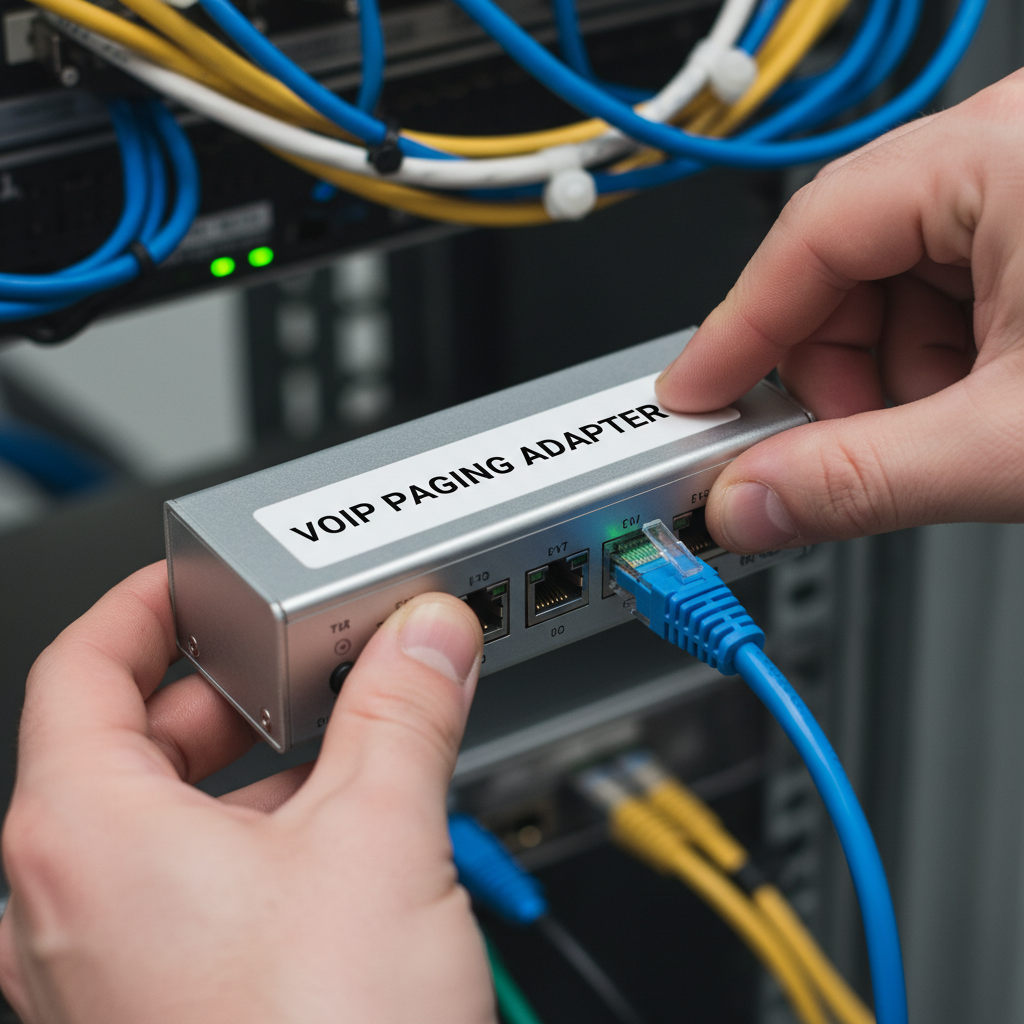
Before adjusting software settings, examine the physical infrastructure inside your office. The most frequent culprit for VoIP call quality issues Canada business environments face is the reliance on Wi-Fi for voice communication. Wireless signals are susceptible to interference from other devices and physical barriers, leading to micro-bursts of jitter. Transitioning VoIP phones to dedicated Cat5e or Cat6 ethernet cables ensures a stable, full-duplex path for data.
Verify your network topology to avoid a Double NAT scenario. This occurs when a business connects their own firewall to an ISP-provided modem that still has routing functions enabled. This creates two layers of address translation, which frequently confuses SIP signaling and leads to dropped packets. Requesting Bridge Mode from your ISP for their hardware is often the necessary first step during installation programming.
Hardware choice also impacts audio stability. Dedicated devices like Yealink IP phones feature advanced jitter buffers and specialized processors designed to handle real-time audio streams. Relying on softphones on aging laptops often results in poor quality because the computer's CPU prioritizes background system updates over the voice application. If you require consistent performance, investing in professional hardware and robust technical support provides a more reliable foundation than consumer-grade setups.
Step 2: Configuring Quality of Service (QoS) for Voice Traffic
To address VoIP call quality issues Canada business owners must answer one critical question: Should I enable VoIP QoS? The answer is a definitive yes. Quality of Service (QoS) is a router configuration that acts as a digital traffic warden for your network. Without it, your router treats a massive cloud backup or a high-definition video stream with the same urgency as a critical client call. Because voice traffic is extremely time-sensitive, even a microscopic delay caused by other data can result in the robotic audio previously discussed.
Configuring QoS involves identifying and prioritizing two specific types of data: SIP (Session Initiation Protocol) for call signaling and RTP (Real-time Transport Protocol) for the actual audio stream. By tagging these packets with higher priority, you ensure that your VoIP phones always have a clear path. For complex environments utilizing a 3CX phone system, professional installation programming is often required to ensure these rules are correctly applied at the firewall level. Without this prioritization, a single employee uploading a large presentation to the cloud could cause every active phone call in the office to drop or degrade instantly.
Step 3: Solving Firewalls and NAT Traversal Issues
Even with QoS properly configured, many organizations encounter the frustrating phenomenon of one-way audio, where one party is met with total silence. This is rarely a bandwidth problem; instead, it is typically a failure in NAT traversal or firewall security rules. The most frequent culprit within Canadian business routers is a feature called SIP ALG (Application Layer Gateway). While originally designed to help voice packets navigate firewalls, it often incorrectly modifies the packet headers, causing the stream to lose its way.
To resolve persistent VoIP call quality issues Canada business owners should immediately locate the firewall settings in their router and disable SIP ALG. This single change often restores two-way communication instantly. For more complex deployments, such as a 3CX phone system or Yeastar appliance, you may also need to configure specific port forwarding rules. This ensures that the external IP address correctly maps to your internal VoIP phones for both signaling and RTP audio traffic. In some cases, utilizing a STUN (Session Traversal Utilities for NAT) server can help the system discover its public identity when operating behind a restrictive network. If audio remains absent after these adjustments, professional installation programming or specialized technical support may be required to clear advanced routing loops or deep packet inspection conflicts within the firewall.
How to Properly Test Your VoIP Quality in Canada
Accurate diagnostics require localized data. Avoid generic browser based speed tests that default to US data centers; these will give you false positives for latency. Instead, utilize a VoIP specific test targeting a Canadian server in Toronto, Montreal, or Vancouver to mirror your actual traffic path. This provides a realistic view of how your network handles the jitter and packet loss that define VoIP call quality issues Canada business teams encounter.
Next, perform a persistent ping test from a wired workstation to your PBX provider's IP address. A standard command like `ping -t [IP Address]` allows you to observe fluctuations over several minutes. Watch for "Request timed out" messages, which signal packet loss, or varying response times that indicate jitter. Before contacting technical support for advanced installation programming, compile a detailed log to streamline the troubleshooting process.
Data Point | Description |
|---|---|
Timestamp | The exact date and time the call quality degraded. |
Extension | The specific VoIP phones or user ID experiencing the issue. |
Destination | The external number dialed or the incoming caller's ID. |
Symptom | Specific behavior, such as one-way audio or robotic sound. |
This structured data allows technicians to pinpoint if the failure is localized to a specific 3CX phone system endpoint or a broader carrier routing problem.
When to Call Alpha Telecom Services for Professional Support
When your diagnostic data reveals persistent packet loss despite internal hardware upgrades, it often signals a problem beyond your office walls. DIY troubleshooting addresses many common VoIP call quality issues Canada business operations face, yet internal network audits cannot resolve upstream routing loops, peering disputes between major ISPs, or SIP header corruptions occurring at the carrier level. When basic router adjustments fail to stabilize your audio, Alpha Telecom Services provides the specialized technical support needed to interface with national providers and resolve these deep-seated infrastructure flaws.
Expert installation programming ensures that your 3CX phone system and VoIP phones are correctly provisioned for the unique demands of the Canadian digital landscape from the start. Shifting to a managed VoIP model allows your business to offload the complexity of jitter buffer tuning and firewall management to dedicated professionals. Based in Toronto and serving clients nationwide, Alpha Telecom Services bridges the gap between complex networking and clear communication, ensuring your team remains focused on productivity rather than packet loss.
Maintaining clear call quality is essential for any Canadian business looking to provide excellent customer service. While many issues stem from simple network settings or insufficient bandwidth, identifying the exact cause can be a time-consuming process. If you want expert help to streamline your communications, our team can guide you through the transition to a reliable Cloud PBX system. We specialize in optimizing setups for peak performance, ensuring your business never misses a beat due to technical static.